Home/Exhibits/Children's Discovery/Virtual Water Flow Wall

Virtual Water Flow Wall

I.

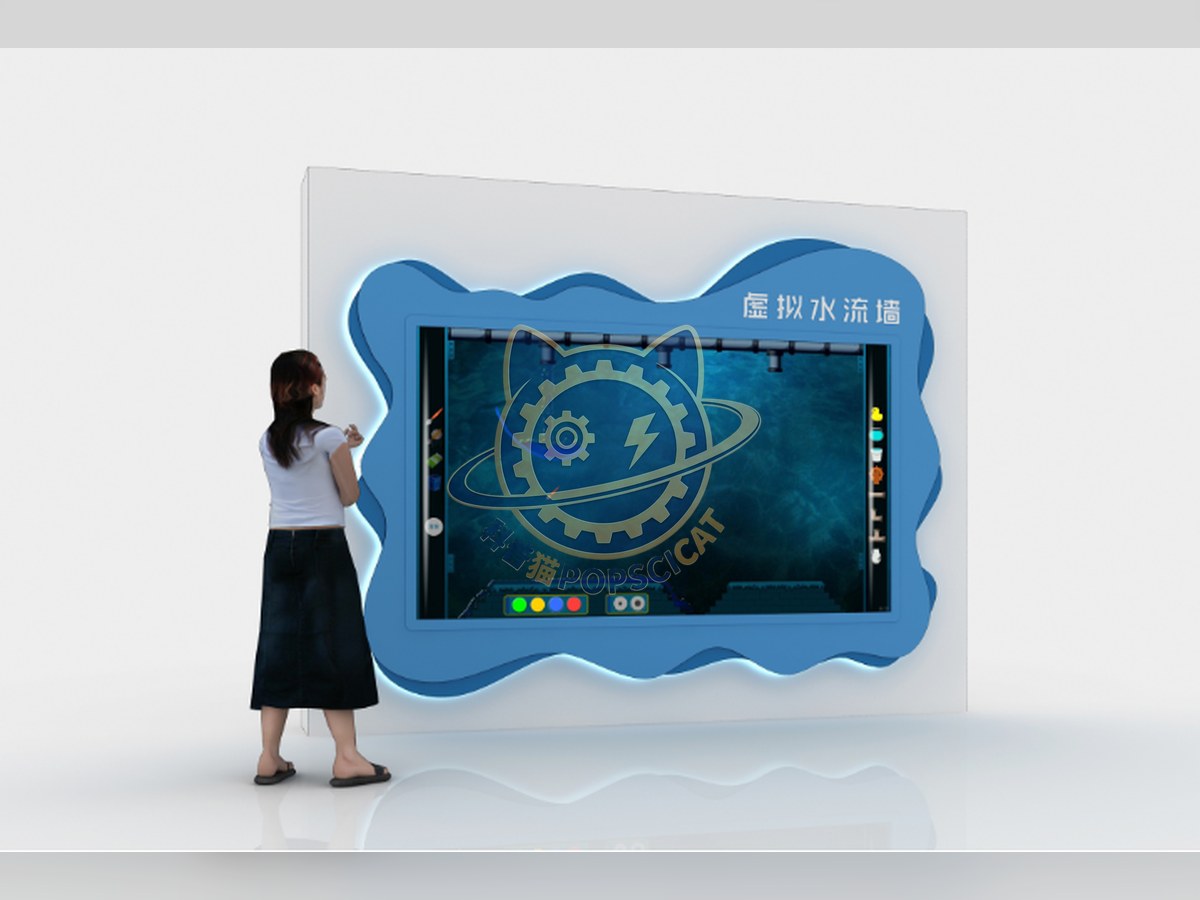
Virtual Water Flow Wall — Children's Discovery exhibit for science museums
Studio rendering
CategoryChildren's Discovery
InteractionOpen-ended, hands-on play
Standard sizeBuilt to your floor plan
Power100–240 V AC, 50/60 Hz, single phase — universal input; no step-down transformer or motor re-tap
SupplySingle unit or batch · OEM to your drawing
Lead timeStandard 3–6 weeks after deposit (confirmed per contract)
Warranty1 year, structure and control
DocumentsSpecification sheet · control diagram · spare-part list

A standard catalogue model: the dimensions, control package and finish are fixed, which is what keeps the price and the lead time predictable. Size, colour and interface language can be adapted without a new design cycle.

Ask about this model → Email us

Standard models from this range are also listed in our online store, priced in USD — see the price yourself ↗

01 / Overview

I. Purpose of the Exhibit The exhibit uses virtual simulation technology to simulate the physical properties of water flow. Visitors can interact by sliding their fingers on the projection screen to experience the laws governing the movement of water. II. Scientific Principles The "Virtual Flowing Water Wall" is an engine that uses particles to simulate the physical motion of liquids. It simulates many of the properties of water, and using different tools to control the flow of water can produce unexpected effects. III. Functional Description (Technical Solution) The exhibit mainly consists of a projection screen, a projector, a computer, and other components. An interactive projection device is set up. When visitors participate, they can convert their doodles into virtual objects and place them in the Water World engine through touch, thereby creating an interactive effect. Try using various shapes to change the direction of the water flow and observe the form and movement patterns of the water flow. When visitors freely doodle or move the icons provided by the system, the computer precisely controls the coordinate positions of the visitors' doodles or moved interactive icons, converts the doodles into virtual objects, and places them in the Water World engine, thereby creating an interactive effect. IV. Operating Instructions Touch the "Water Flow Wall" to interact with the virtual water flow. You can draw on the virtual Water Flow Wall or select the containers and obstacles provided by the system to store water or control the flow!. It is built for unsupervised public use: surfaces are robust and wipe-clean, there are no loose parts, and the interface works without instruction, so a child of about six can operate it on a busy floor.
02 / How visitors use it

Interaction type: Open-ended, hands-on play. The unit is designed for unsupervised public use: controls are recessed or shielded, moving parts are enclosed, and the interface is operable by a child of about six with no instruction. Where a screen is used, the language can be switched without changing the hardware, and the content can be replaced on site.

03 / Built for a public floor

Every unit leaves the factory after a running test: mechanisms cycled, electronics burned in, edges dressed, fixings torqued and marked. Wear parts — bearings, sliders, lamps, belts, touch panels — are modular and listed on the spare-part sheet, so a venue technician can replace them without returning the exhibit. Crating is plywood with foam blocking; the loading plan and packing list travel with the shipment.

Same category

More in Children's Discovery

Other models from the Children's Discovery line, all held to the same specification and the same control package.

Start a project

Send us your exhibit list.
We will come back with a price.

Attach a theme outline, a floor plan, or nothing at all — a photo of the space is enough to start. Quotations are issued against a real exhibit list, not per-square-metre guesses.

Prefer to see the floor before you commit? Factory visits and third-party inspections are welcome.

WhatsApp QR code — scan to chat with Shanghai Inertia
WhatsAppScan to chat
WeChat QR code — scan to message us
WeChatScan to add us